Secure File Downloads in WordPress with Custom URLs
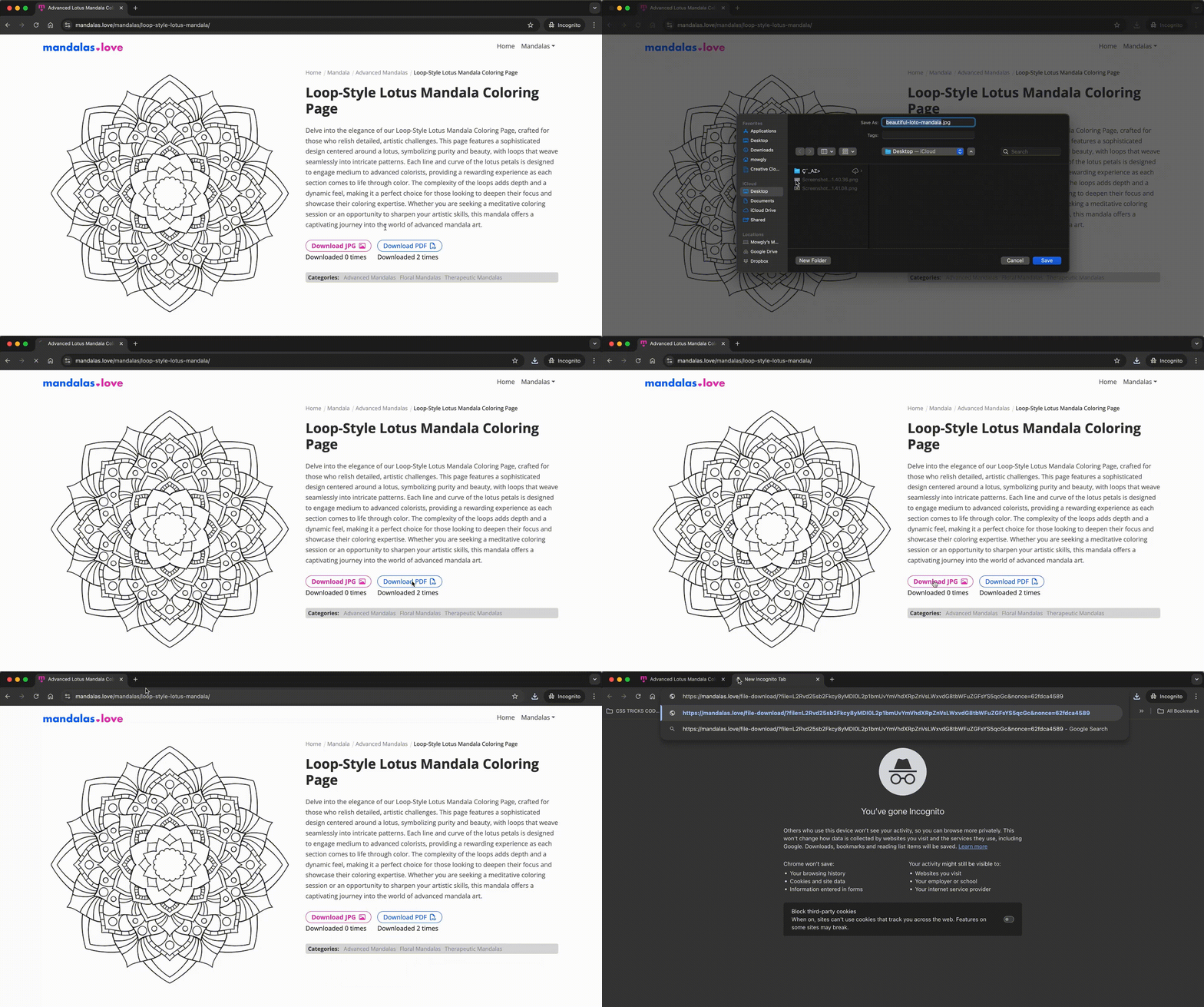
For a project where I’m offering free downloadable mandala images, I needed a way to protect the file URLs so users wouldn’t have direct access to the download links. This ensures a secure experience for users while keeping file access controlled. I implemented a custom download system that encodes file paths, forces to download files instead of redirecting to a new browser tab, validates requests and creates a more secure download process.
In this post, I’ll walk through my solution and explain each step, from encoding file paths to adding security checks for a non-complex application.
Code Example & Explanation
1. Generating Secure Download Links (single-mandalas.php)
The template file single-mandalas.php has download buttons for each file format (JPG, PDF, PNG) and appends security parameters to each link:
Encoding the File Path
base64_encode() obfuscates the file path, preventing users from viewing or directly accessing the URL.
base64_encode() is ideal for simple security needs because it obfuscates the file path without adding complexity, deterring casual access. Paired with a nonce, it provides a practical layer of protection for low-stakes applications.
Nonce Creation
I use wp_create_nonce() to create a unique nonce for each link. This nonce is essential for validating download requests.
A nonce is a unique token used to verify requests and prevent unauthorized actions. wp_create_nonce() in WordPress generates this secure, time-sensitive token, adding a crucial layer of protection by ensuring requests are valid and intentional.
Building the URL
add_query_arg() constructs the download URL with encoded parameters for both the file path and nonce.
if ($download_jpg || $download_pdf || $download_png) {
    ?>
    <div class="single-mandalas-downloads">
      <?php
        if ($download_jpg) {
            $encoded_file = base64_encode($download_jpg); // Encode file path
            $nonce = wp_create_nonce('download_file'); // Create nonce
            $download_link = add_query_arg(array(
                'file' => $encoded_file,
                'nonce' => $nonce,
            ), home_url('/file-download/'));

            echo '<div class="mandala-button"><a class="btn btn-outline download-jpg" href="' . esc_url($download_link) . '">Download JPG</a>';
            $download_count = get_download_count($download_jpg);
            echo '<span>Downloaded ' . $download_count . ' times</span></div>';
        }

        if ($download_pdf) {
            $encoded_file = base64_encode($download_pdf);
            $nonce = wp_create_nonce('download_file');
            $download_link = add_query_arg(array(
                'file' => $encoded_file,
                'nonce' => $nonce,
            ), home_url('/file-download/'));

            echo '<div class="mandala-button"><a class="btn btn-blue btn-outline" href="' . esc_url($download_link) . '">Download PDF</a>';
            $download_count = get_download_count($download_pdf);
            echo '<span>Downloaded ' . $download_count . ' times</span></div>';
        }

        if ($download_png) {
            $encoded_file = base64_encode($download_png);
            $nonce = wp_create_nonce('download_file');
            $download_link = add_query_arg(array(
                'file' => $encoded_file,
                'nonce' => $nonce,
            ), home_url('/file-download/'));

            echo '<div class="mandala-button"><a class="btn btn-blue btn-outline" href="' . esc_url($download_link) . '">Download PNG</a>';
            $download_count = get_download_count($download_png);
            echo '<span>Downloaded ' . $download_count . ' times</span></div>';
        }
      ?>
    </div>

<?php } ?>
2. Adding Rewrite Rules for Pretty URLs (functions.php)
To ensure user-friendly download URLs, I added a rewrite rule in functions.php to manage /file-download/ requests. This allows for clean URLs that improve security by hiding direct file paths.
Rewrite Rule
The add_custom_download_rewrite_rule() function creates a rule that translates /file-download/ requests into a format WordPress can process.
Custom Query Variable
add_custom_query_vars() registers the file query variable so WordPress can recognize it during URL processing.
<?php

// Rewrite rule to handle the custom file download URL structure
function add_custom_download_rewrite_rule() {
    add_rewrite_rule('^file-download/?$', 'index.php?pagename=file-download', 'top');
}
add_action('init', 'add_custom_download_rewrite_rule');

// Add 'file' as a custom query variable for download links
function add_custom_query_vars($vars) {
    $vars[] = 'file';
    return $vars;
}
add_filter('query_vars', 'add_custom_query_vars');
3. Handling File Downloads Securely (template-download.php)
In the template-download.php file, I handle requests to securely deliver files to users.
Steps to Set Up the Template:
- Create a New Page in WP Admin:
- Go to the WordPress Admin dashboard.
- Create a new page with the slug or URL “file-download.”
- Assign this page the custom template
File Download Handler.
- Add the Custom Template (
template-download.php): This template file validates and processes file download requests.
<?php
/* Template Name: File Download Handler */

// Exit if accessed directly
defined('ABSPATH') || exit;

// Check if 'file' parameter is provided
if (!isset($_GET['file']) || empty($_GET['file'])) {
    wp_die('Invalid request: No file specified.');
}

// Decode and sanitize the file parameter
$file_encoded = sanitize_text_field($_GET['file']);
$file_relative_path = base64_decode($file_encoded);

if (!$file_relative_path) {
    wp_die('Invalid file request.');
}

// Optional: Validate nonce for security
if (!isset($_GET['nonce']) || !wp_verify_nonce($_GET['nonce'], 'download_file')) {
    wp_die('Security check failed: Invalid nonce.');
}

// Construct the full server path
$base_server_path = '/public_html';
$file_path = realpath($base_server_path . $file_relative_path);

// Ensure the file exists and is within the allowed directory
if (!$file_path || !file_exists($file_path) || strpos($file_path, realpath($base_server_path . '/mandala-images')) !== 0) {
    wp_die('File not found or invalid path.');
}

// Clear all output buffers to prevent any unexpected output
while (ob_get_level()) {
    ob_end_clean();
}

// Set appropriate headers for download based on file type
$file_extension = strtolower(pathinfo($file_path, PATHINFO_EXTENSION));
$mime_type = '';

switch ($file_extension) {
    case 'jpg':
    case 'jpeg':
        $mime_type = 'image/jpeg';
        break;
    case 'png':
        $mime_type = 'image/png';
        break;
    case 'pdf':
        $mime_type = 'application/pdf';
        break;
    default:
        $mime_type = 'application/octet-stream';
}

header('Content-Description: File Transfer');
header('Content-Type: ' . $mime_type);
header('Content-Disposition: attachment; filename="' . basename($file_path) . '"');
header('Content-Transfer-Encoding: binary');
header('Content-Length: ' . filesize($file_path));
header('Cache-Control: no-cache, must-revalidate');
header('Pragma: public');
header('Expires: 0');

// Open the file in read mode
$handle = fopen($file_path, 'rb');
if ($handle === false) {
    wp_die('Unable to open file for reading.');
}

// Output the file in chunks
$chunk_size = 8192;
while (!feof($handle)) {
    echo fread($handle, $chunk_size);
    flush();
}

fclose($handle);
exit;
Explanation of Key Steps:
- Parameter Verification and Decoding: The
fileparameter is verified and decoded usingbase64_decode()to retrieve the original file path. - Nonce Verification: Using
wp_verify_nonce(), the template checks that each download request is authentic, protecting against unauthorized downloads. Read more at WordPress documentation. - Path Validation:
realpath()checks that the file path exists within the allowed directory, ensuring files outside the designated folder can’t be accessed. - Output Buffer Clearance: Clearing output buffers prevents any unintended content from appearing with the download.
- Setting Headers and Streaming the File: Appropriate headers are set for each file type (e.g., JPG, PNG, PDF). The file is read in chunks using
fread()to manage memory efficiently during the download.
Best Practices
- Always Use Nonce Verification: Nonces are essential for validating download requests and preventing unauthorized access.
- Limit Directory Access: Use
realpath()to ensure files are contained within the designated download folder, reducing the risk of accidental exposure of other files. - Clear Output Buffers: Always clear output buffers to prevent any unexpected content from appearing alongside your downloadable files.
- Optimize for Performance: Stream files in chunks to conserve memory, especially when handling larger files.
Common Mistakes to Avoid
- Forgetting to Validate Nonces: Nonces add a crucial layer of security to file downloads. Be sure to include them in all secure download requests.
- Not Testing Path Validation Thoroughly: Always use absolute paths to verify file existence within the allowed directory. This prevents unauthorized access to files outside your intended folder.
Try implementing these techniques in your own projects to protect your files and monitor download activity. For more information on WordPress security, check out the WordPress Codex on nonces and file handling in PHP.